If you have forgotten your SSO ID then it is very easy to recover your ID. There are many possibilites that someone can forget his ID and he has not saved it anywhere. So, you need to not get worry because it is very easy and simple to recove the SSO ID. Please follow the steps given below to recover your SSO ID.
- First of all, visit the official website of SSO Portal Rajasthan https://sso.rajasthan.gov.in/.
- Now press the Login option as shown in the image below.
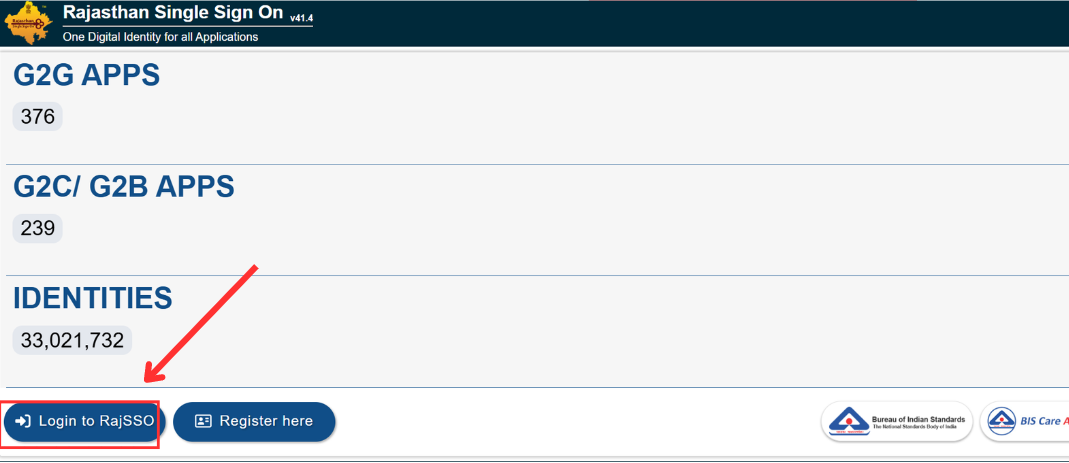
- A window will be in front of you from where you can login if you have your ID and Password. But if you do not have your ID then you can recover it as shown below.
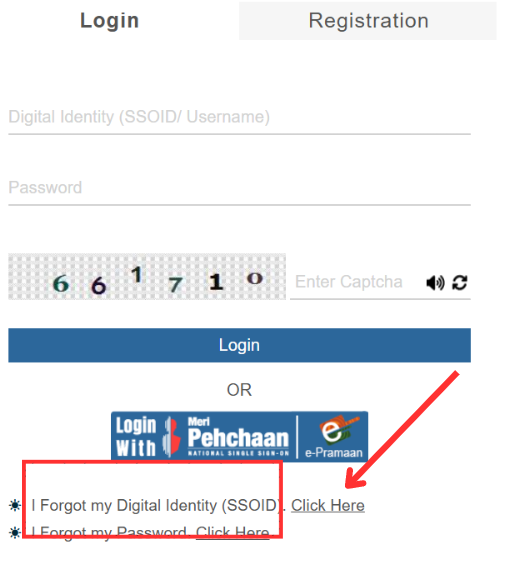
- Now press the highlighted portion and click on Click Here to recover your ID.
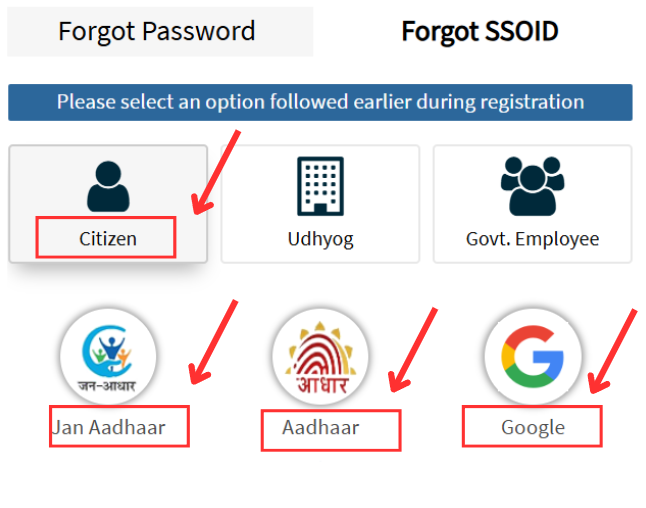
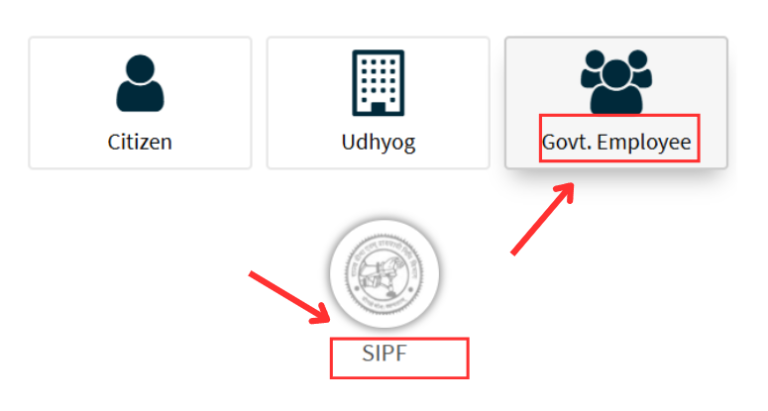
- Now you will see three options to recover your ID.
- To recover your ID as a citizen, press citizen option.
- There will be 3 options for you to recover the ID as shown below.
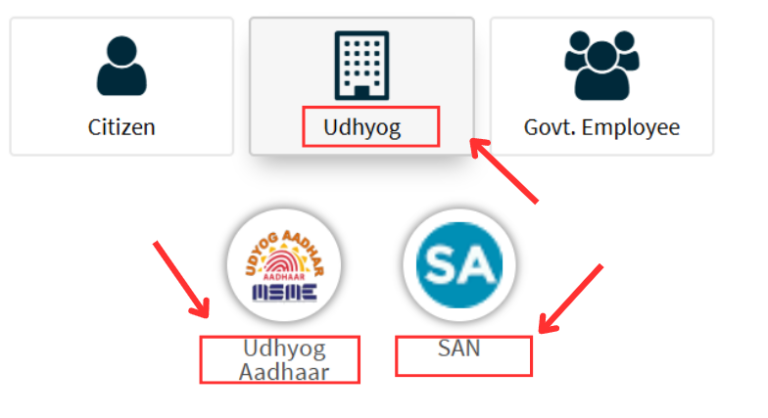
- If you choose Udhyog which is basically for business people, then you will see two options to recover your SSOID. These options are Udhyog Adhaar and SAN.
- If you choose as a Govt. Employee then you will have only one option which is as SIPF shown in the image below.
- By filling all necessary information, you will receive an SMS about confirmation. You have to verify it and your ID will be recovered.